"Bring Your Craft to Life: How to Film Engaging Process Videos"
Dec 18, 2023
Marketing
Show Off Your Craft: Creating Engaging Process Videos
Hey Leapsters!
We want you and your work to be seen! For these videos, that means showcasing both you and your creative process. A process video gives you the chance to impress potential customers—an opportunity to curate yourself and your craft in action, letting viewers see exactly how you create your amazing work.
The footage you provide will be edited into both 5-minute and 1-minute videos. These videos help present you as a real person customers can relate to and feel positive about supporting.
Crafting Your Narrative
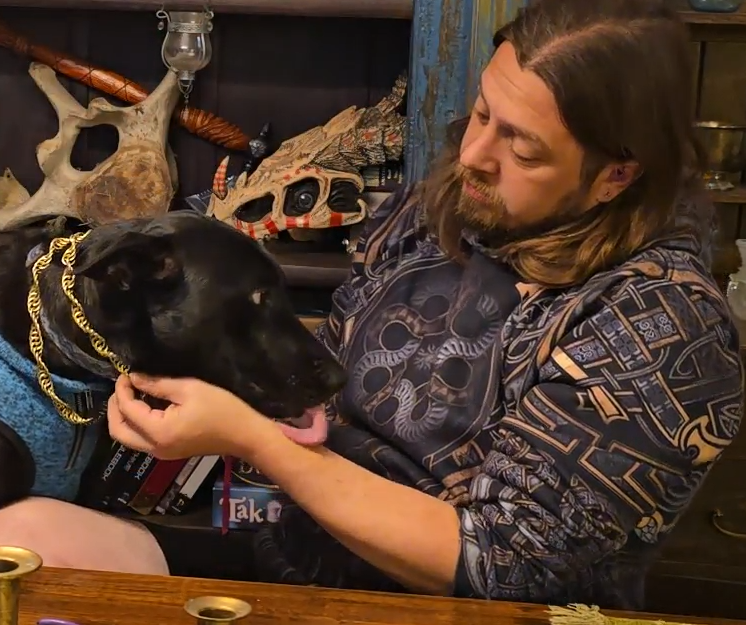
Your image may be culturally and historically inspired. You can provide a story or narrative context for your work. For example, imagine a seax being forged in a barn decorated with Anglo-Saxon smithing paraphernalia. Alternatively, your setting could be more personal—perhaps a backdrop you painted yourself or bookshelves overflowing with your favorite books and action figures.
What is your ‘look’? What is your ‘brand’? Is there a signature element you want to be known for? This could be your logo or even your love for collecting hats!
Video Specifications
Aspect Ratio: Portrait (9:16)
Resolution: 1080p, 30 fps (or highest quality you can manage)
File Formats: MP4, H.264, HEVC (H.265)
How to Film Your Process
Write down your process steps. This will be your shot list—each step becomes a shot to capture.
Plan your shots. Consider setting, lighting, and angles to ensure the action is clearly visible.
Stabilize your device. Use a tripod, gimbal, or other stabilizing tool.
Rehearse your shots. Do a test recording to ensure everything looks good.
Record each step. Capture the footage as planned.
Review your footage. Ensure quality before moving on.
Repeat until all steps are recorded.
Save and organize your footage. Offload your videos to a computer or external hard drive for safekeeping.
Filming Tips & Tricks
Label Your Shots: Use a sequential number or step name to differentiate clips.
Record at Least 5 Seconds per Shot: Allow a buffer before and after actions for editing.
Slow Motion: If your phone has a 60FPS option, use it for smoother slow-motion effects.
Time-Lapse: Useful but can reduce video quality and battery life.
Framing: Ensure your actions are within the frame and leave some space around the edges.
Set the Scene: Choose an interesting but uncluttered backdrop that enhances your work.
Sound & Audio: Background music will likely be added, but if sound matters, record it clearly and minimize unwanted noise.
Lighting: Keep your space well-lit and avoid shadows obscuring important details.
White Balance: Avoid mixed lighting (e.g., natural light from a window plus indoor bulbs), as it can create unnatural color shifts.
Make It Personal!
Your personality can make a difference. A signature move, unique flourish, or quirky habit can engage viewers and make them think, “Yeah! I like the cut of this person’s jib!”
Get ready to showcase your craft and let the world see what makes your work—and you—special!
Then send all of your raw footage by email to leapmedia@drifasleap,com
We will process it and produce your work on our social media, with a link to your shop!